


Second Step – activating Vienna License in your iLok account
STEP 2 (for first time VSL users) – iLok License Manager
The iLok License Manager manages the licenses of your Vienna Symphonic Library products. Your licenses will appear in your iLok License Manager right after you purchase.
The iLok License Manager can be downloaded here.
Don’t have an iLok account yet? www.ilok.com – It’s free.
Still using the legacy eLicenser? Learn how to make the switch to iLok.
Activating Licenses
All licenses of our paid products and demo licenses can be activated on either the iLok cloud or a physical iLok key.
Do you need help activating our FREE INSTRUMENTS? Click here.
Tip
Still not sure if your license can be activated to a location? Ensure that the Valid Location (dark icons) shown next to the license match with the icon on the left side where you want to activate the license.

iLok Cloud vs iLok Key
So where should you activate your license?
Here is a chart showing you the differences. And no worries, you are staying flexible with iLok, so it’s easy to move licenses around.
| iLok Cloud | iLok Key |
|---|---|
| Free | Requires additional purchase |
| Requires constant internet connection | Can be used offline |
| Frees up USB port for your sample drive | Takes up a USB port |
| Accessible from anywhere | Can be lost, broken, or forgotten |
| Only runs on one computer at a time | Purchase multiple keys to distribute your licenses |
iLok Cloud

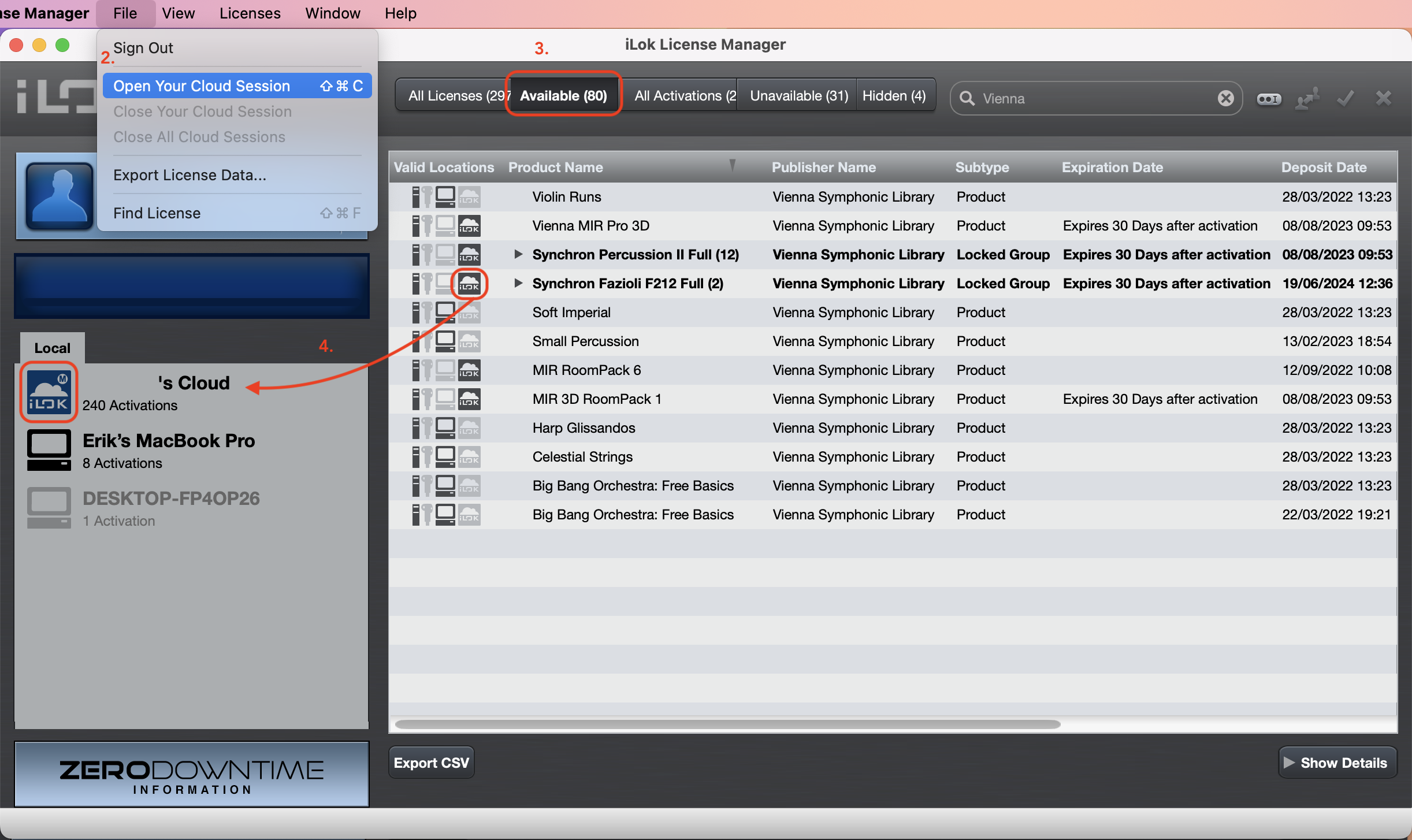
- Open your iLok License Manager and sign in with your iLok account
- Go to File > Open Your Cloud Session
- Go to View > Available licenses
- Drag your licenses to the cloud icon on the left.
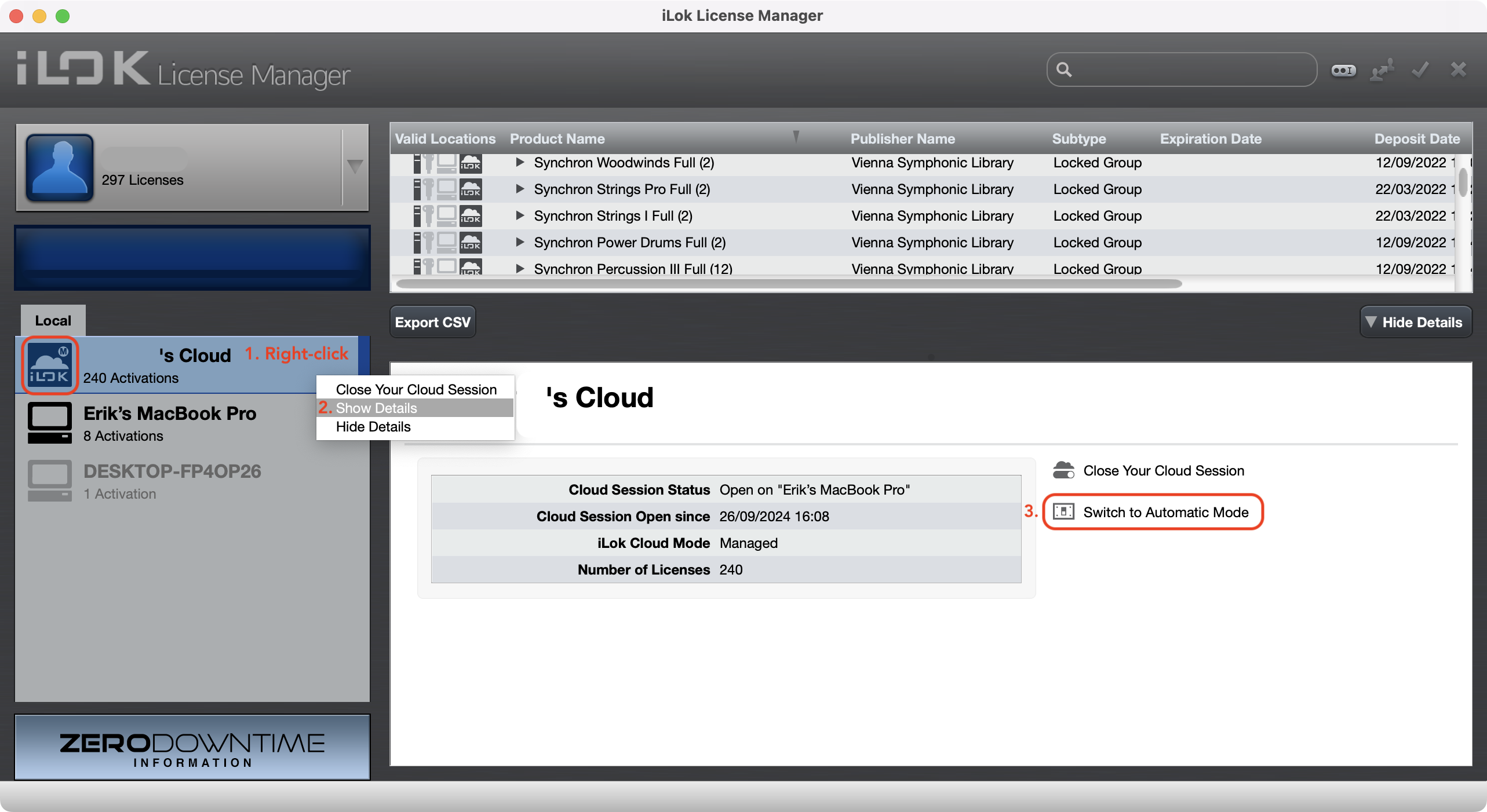
Tip
If you don’t want to worry in the future about activating licenses manually, you can turn ON the Automatic mode.
iLok Key
All our licenses can be activated on 2nd or 3rd-generation iLok keys. You can purchase the iLok key here.
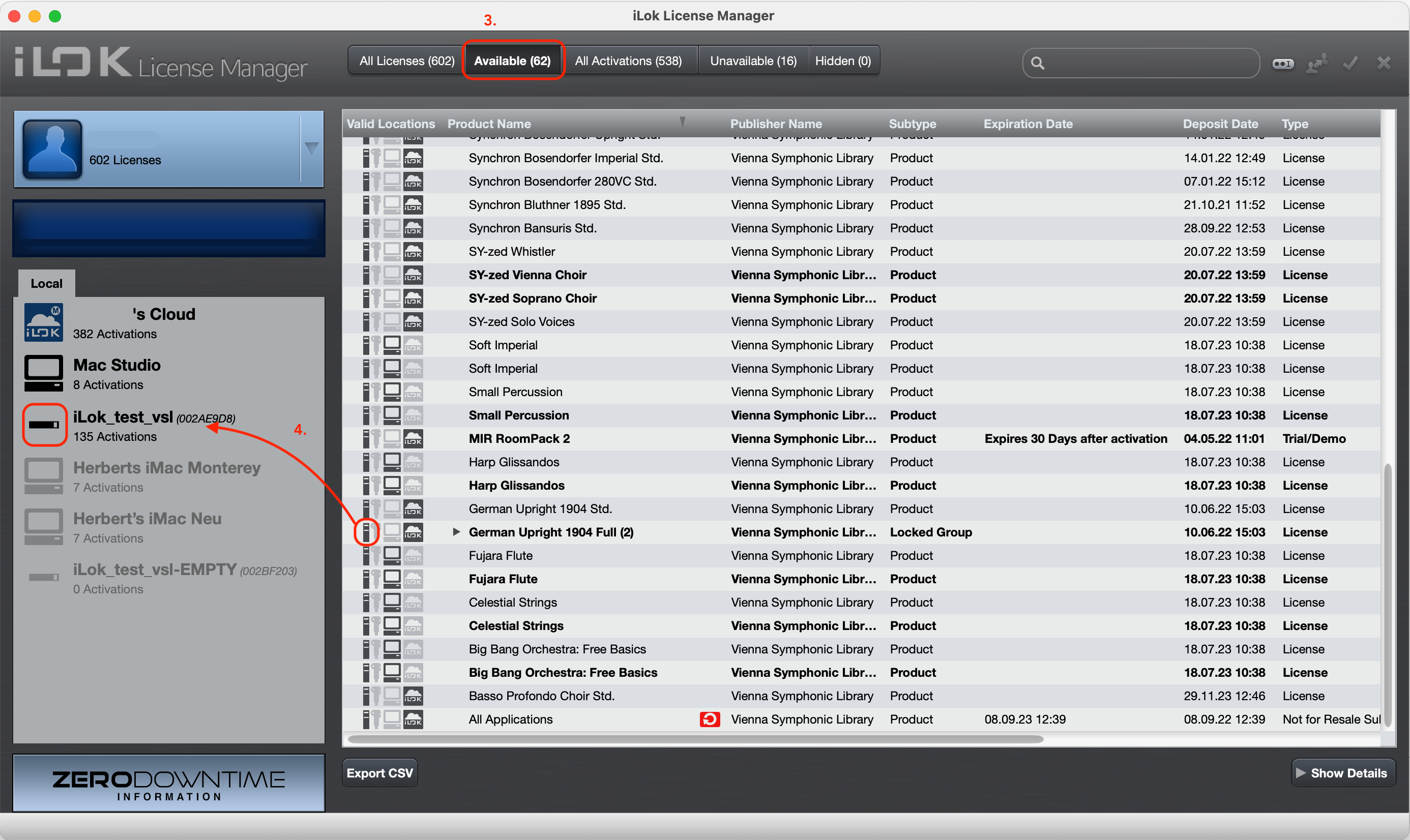
- Open iLok License Manager and sign in with your iLok account
- Plug your iLok key into a USB port on your computer
- Go to View > Available licenses
- Drag your licenses to the iLok key on the left
Tip
Worried about losing or damaging your iLok key? Activate Zero Downtime.