sudeepaudio / help centre /

Namaste. Welcome to our Help Centre. How can we help you today?

Vienna Symphonic Library

Share this article

Instruments

Synchron Series

Our Synchron Series products are based on the sound of the famous Vienna Synchron Stage – home of the Vienna Symphonic Library since 2015!

  • Synchron Series products have been recorded with a multi-microphones setup right at Vienna Synchron Stage and can cater all possible audio formats, from stereo over surround to immersive surround sound!
  • Synchron Pianos share the same idea: Recording our incredible piano selection in the best location possible, with multiple microphones. The perfect representation of the acoustics at Vienna Synchron Stage make our Synchron Pianos the go-to option for pianists worldwide.

Studio Series

  • Studio Series products are based on our legacy Vienna Instruments collections. All samples have been recorded rather dry and were then carefully re-edited and optimized to work in our convenient Synchron Player Software – with a great sound out of the box!
  • Studio Series Synchron Pianos were recorded with multiple mics in Stage B of Vienna Synchron Stage.

Starter Editions

A great way to start your journey into the world of Vienna!

OVERVIEW

  • Synchron Prime Orchestra contains the essentials of our Synchron Series products, with a small footprint on your drive and convenient Flow versions for all instruments.
  • Synchron Smart Orchestra is the perfect tool for keyboard players who want to arrange in stems. It even comes with our sound-design tools “Smart Spheres” and “Smart Hits”.
  • Special Editions contain the most essential articulations of the instruments we have recorded for the Studio Series!
    A great opportunity to access each solo instrument and section individually!

Vienna Smart Spheres and Vienna Smart Hits are opening the doors to a sound-design experience that is based on organic symphonic sounds.

Big Bang Orchestra Series

Fast and big and flexible: Our Big Bang Orchestra made a big splash with its release, and the FREE Big Bang Orchestra is available for download for everyone interested.

Included Software

Our instruments always come with a player software included, so you can go ahead and play!

  • Vienna Synchron Player
    • Our modern take on virtual instruments, with a convenient dimension tree for a quick overview and a powerful integrated mixer. Comes with all Synchron Series products.
  • Vienna Synchron Pianos
    • This software can handle the multi-microphone recordings in a perfect way, with lots of options to fine-tune the performance!
  • Vienna Synchron Harp
    • Customized sample player for the exquiste samples of our Synchron Harp, with a pedal mode that gives you full access to all the glissando and arpeggio possibilities a concert harp has to offer.
  • Vienna Organ Player
    • Included with our Great Rieger Organ: A customized user interface for all organ afficionados.
  • Vienna Ensemble
    • This plug-in host makes our sample players multi-timbral, so you can host multiple instances in one host.

Comparison: Synchron vs Studio

  • Synchron Series products were all recorded with multiple microphones, which are handled in the Synchron Player Mixer in an ideal way.
  • Our Studio Series products contain stereo samples from our Vienna Instruments Collections which have been optimized to be used in the Synchron Player. Using impulse responses, the contained instruments have been placed perfectly at Vienna Synchron Stage and work with all Synchron Series products out of the box.

Upgrade Paths

We offer upgrade paths for all products that contain the sample content of the bigger and/or newer product, so email SudeepAudio.com your Vienna USER ID and iLok ID to get a quote on upgrades at special India prices.

Share this article

FIRST STEP 1 (for first time users):

Download Vienna Assistant in your computer as per your OS  –  WindowsMac

What is this?

Your new all-in-one application Vienna Assistant offers a direct connection to all the instruments and software we have to offer!

It is available for all registered users.

  • Download, install, and manage your sample content and software products in one application
  • Stay up to date with software and library updates
  • Get an overview of your existing and future products
  • Download additional material from tutorials to notation-related templates

Learn more about Vienna Assistant in the manual here >

Share this article

First Steps for Vienna Assistant (after downloading) explained in this post

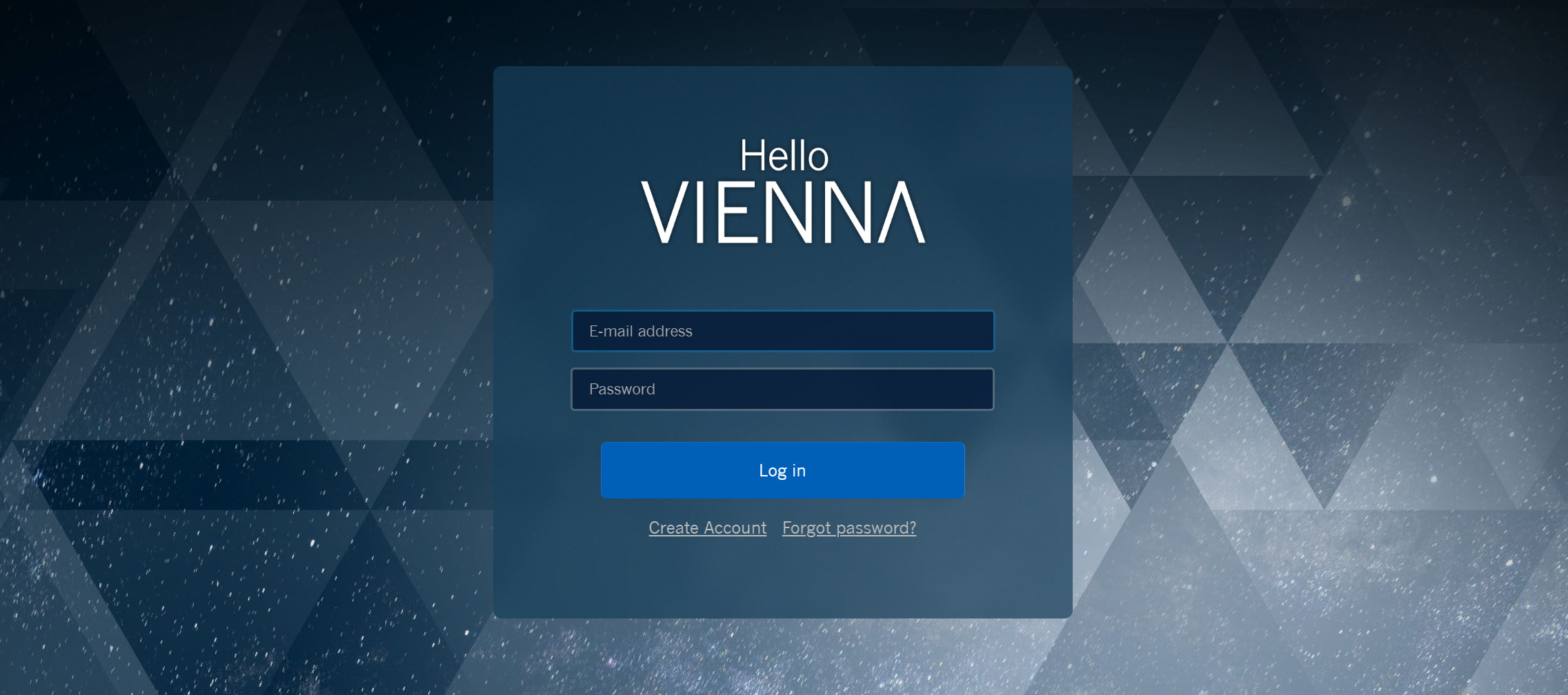
Login

The Login Page will connect you with all available downloads right away:
Login page with Hello Vienna text and a blue Log in button, indicating access to downloads.
A click on Log in will open your default browser and send you to the log-in page.

Tip –
Welcome new usersCreate account will take you to our registration page.
Login page for the Vienna application with fields for email address and password, a Log in button, and links to Create Account and Forgot password.
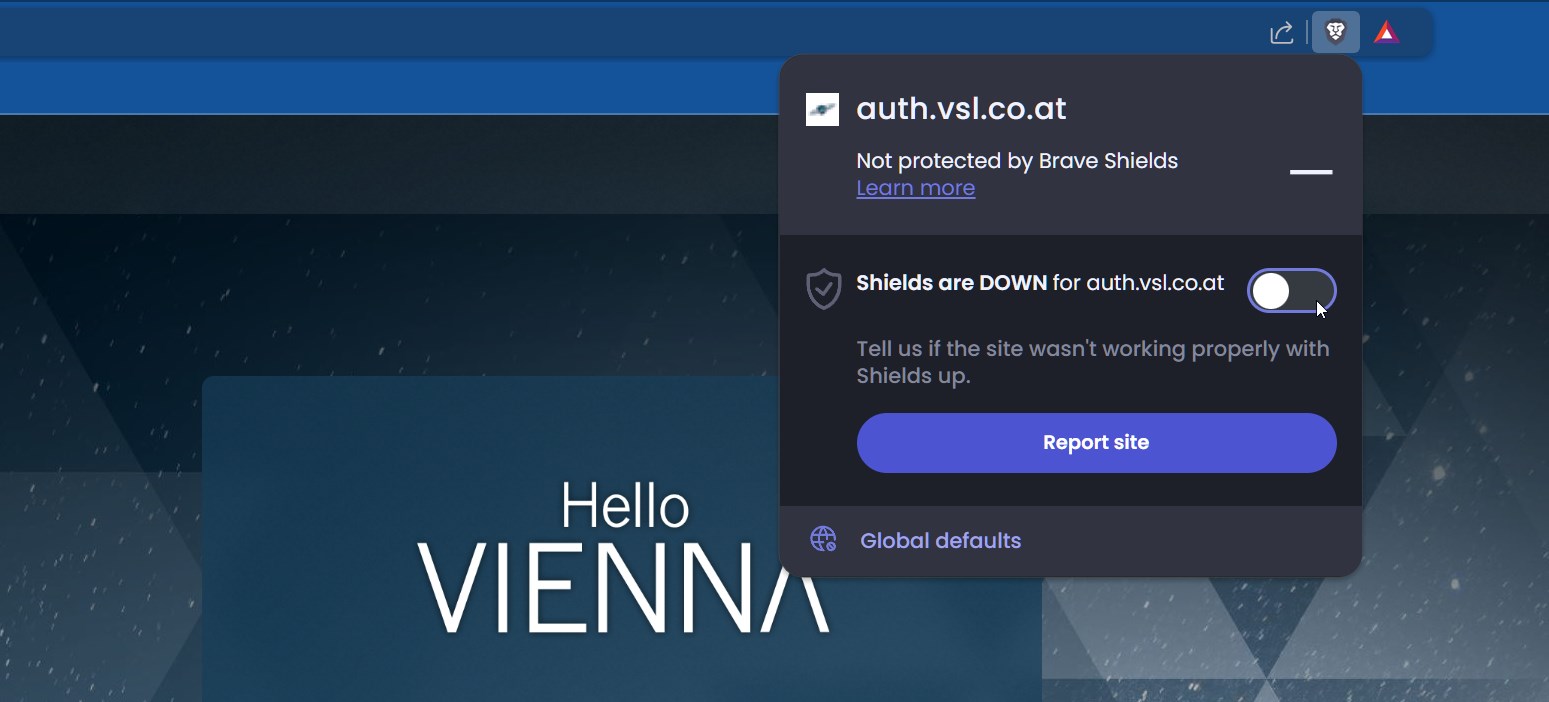
When working with specific browsers, you might need to click Retry in order to complete the log-in process.
 
Brave browser security settings pop-up showing shields are down for auth.vsl.co.at, with an active toggle switch and Report site button.

Vienna Assistant Tour

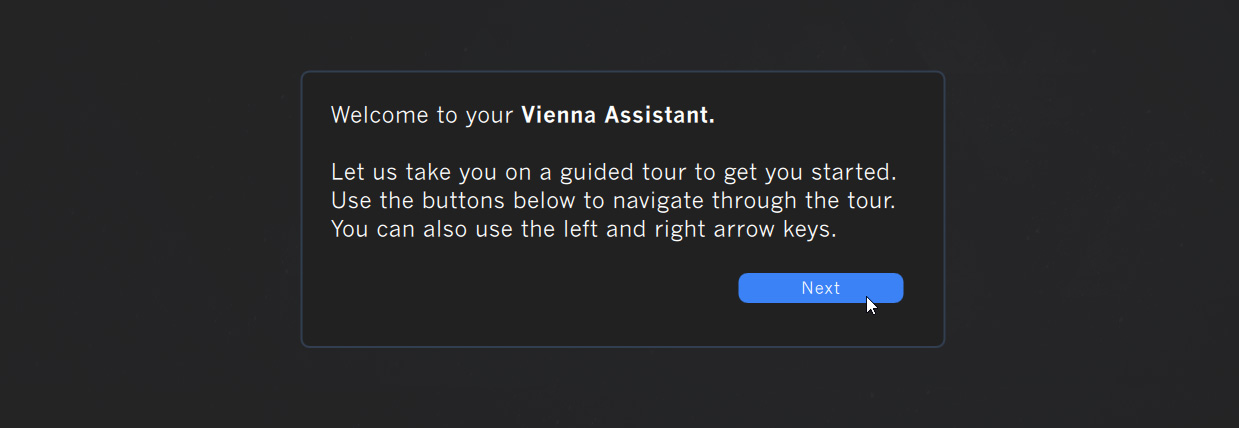
Right after log-in, you will be greeted with a quick tour of the main features this software has to offer.
Vienna Assistant welcome screen during installation, asking the user to start a guided tour with a blue Next button

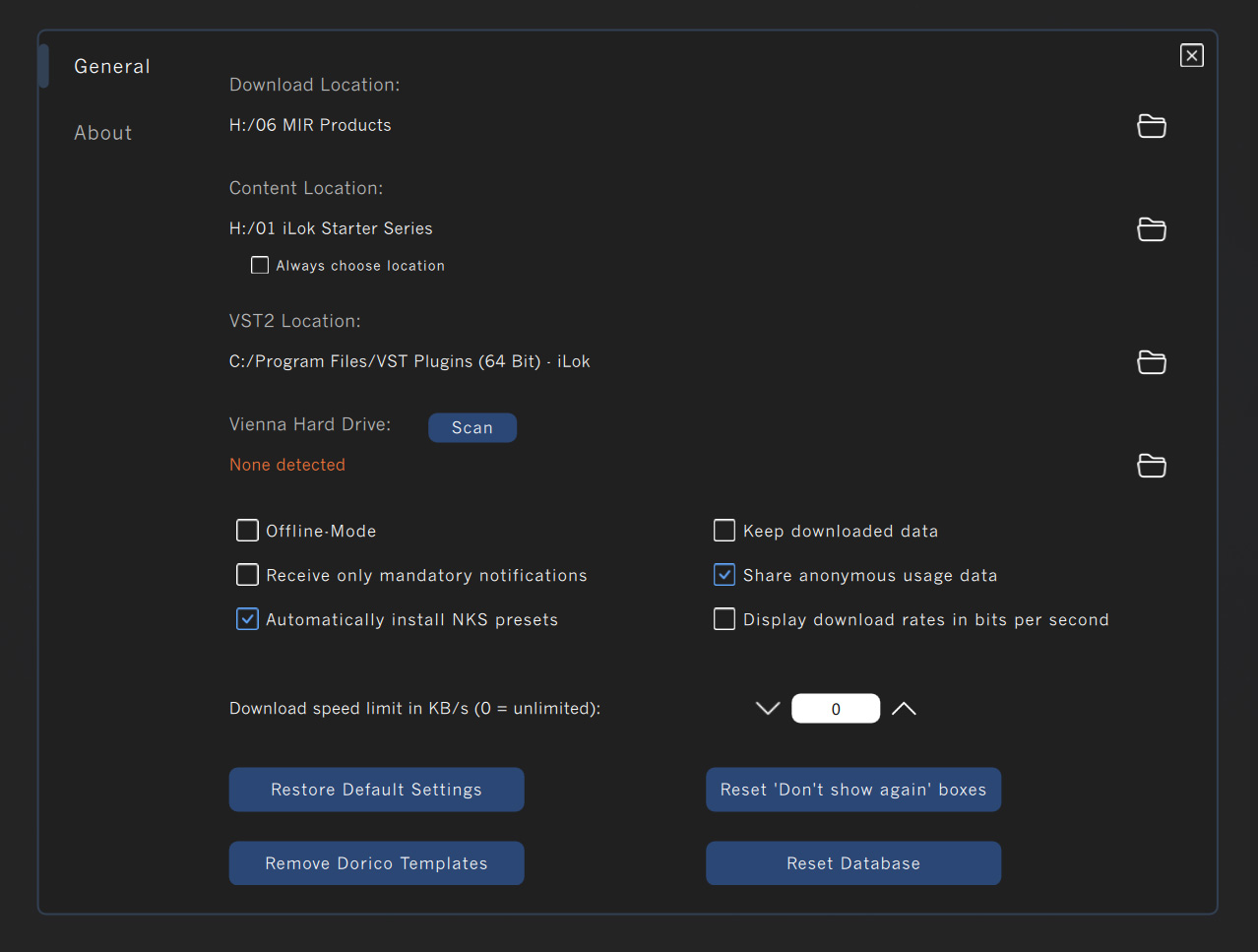
After you have finished the tour, it’s time to check your Preferences and define your default download/installation data.


Preferences

Find a detailed description of all Preferences settings right here.
Vienna Assistant software settings interface displaying download locations, VST plugin paths, Vienna Hard Drive scan option, and checkboxes for offline mode, notifications, NKS presets, usage data, and download speed limits.


System Requirements
(as on Dec 2025)
Vienna Assistant requires macOS 10.14 (latest update) or Windows 10 (latest update). The application supports both Apple Silicon & Intel architecture.

Share this article

For any issues you are facing with Vienna Assistant manager, please find a solution online here >

Share this article

Installation

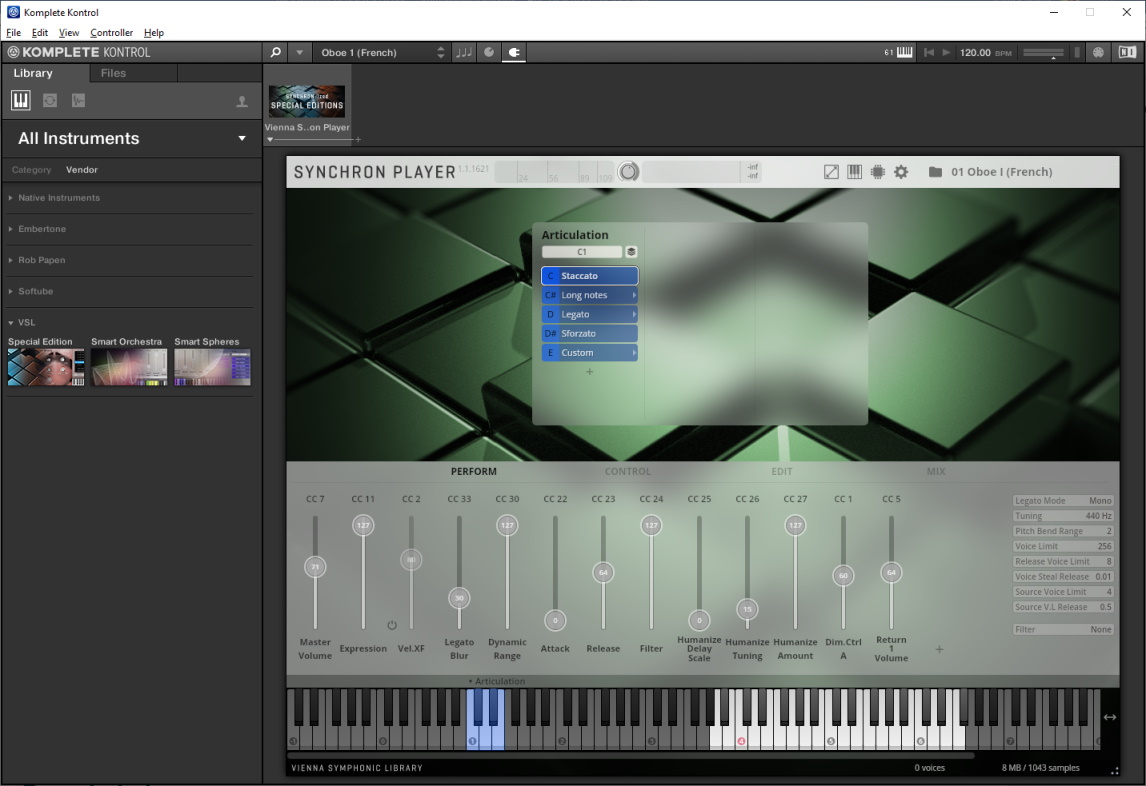
Installing NKS support for your VSL plug-ins is a great way to use Komplete Kontrol keyboards and Machine.

  1. Open the Vienna Assistant and log in.
  2. Select the Not Installed tab and scroll to the NKS category.
  3. Select a product range to install NKS support for individual libraries.
  4. Start your Komplete Kontrol / Maschine software to trigger a rescan of the installed NKS Preset.
  5. The instruments browser in Komplete Kontrol and Maschine now contains the presets for your VSL products and you can start exploring right away.
Installation

Loading Presets

Browse and load your presets with your Komplete Kontrol Keyboard or Maschine.

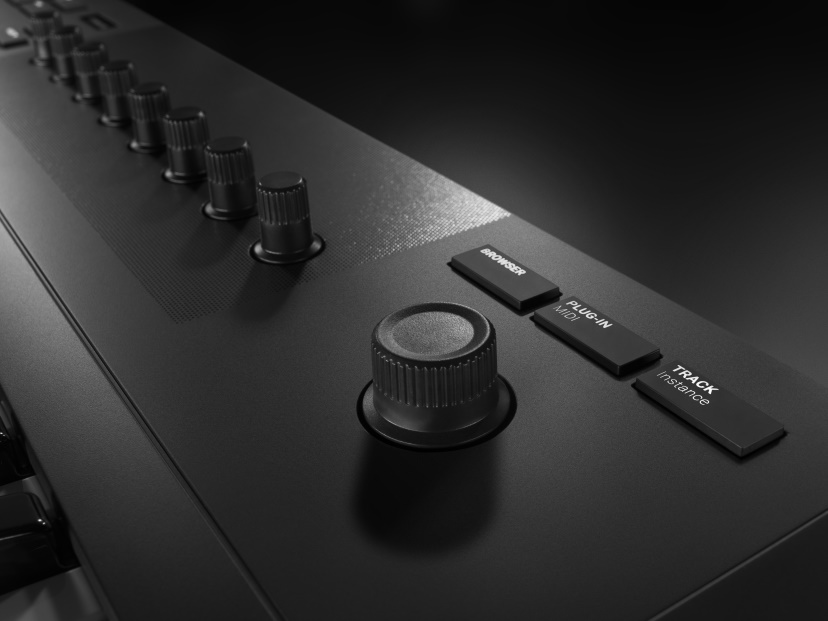
  1. Press browser on your hardware and navigate through your products, banks and presets with the 4D-Push-Encoder.
Loading Presets
  1. When you found a preset you like, load it by pressing the Encoder button.

FAQs

Where can I install NKS Presets?

All NKS presets can be installed via the Vienna Assistant software under the NKS product category.

Plug-in not found… What can I do?

  1. The path of the plug-in is not assigned in Komplete Kontrol.
  • Open the Preferences of Komplete Kontrol.
  • Go to Plug-Ins/Locations and click “Add”
  1. Komplete Kontrol does come with support for VST2 & VST3. In case you wish to work with VST2, please ensure that you have selected the correct path in your Vienna Assistant preferences and also added the same path to your Komplete Kontrol software. After reinstalling your player plug-ins, they are placed correctly.

Which VSL products are supported?

(Grouped by NKS categories)

Starter Editions:

  • FREE Big Bang Orchestra
  • FREE Celestial Strings
  • FREE Fujara Flute
  • FREE Harp Glissandos
  • FREE Small Percussion
  • FREE Soft Imperial
  • FREE Violin Runs
  • Synchron Prime Edition
  • Studio Special Editions
  • Vienna Smart Orchestra
  • Vienna Smart Hits
  • Vienna Smart Spheres
  • Epic Orchestra 2.0

Big Bang Orchestra:

  • Big Bang Orchestra: Altair
  • Big Bang Orchestra: Andromeda
  • Big Bang Orchestra: Black Eye
  • Big Bang Orchestra: Tana
  • Big Bang Orchestra: Ursa
  • Big Bang Orchestra: Vega
  • Big Bang Orchestra: Wallia
  • Big Bang Orchestra: Xenia
  • Big Bang Orchestra: Ymir
  • Big Bang Orchestra: Zodiac

Synchron Series:

  • Synchron Strings I
  • Synchron Elite Strings
  • Synchron FX Strings I

Synchron Percussion:

  • Synchron Power Drums

Synchron Pianos:

  • Synchron Bösendorfer Imperial
  • Synchron Fazioli F308
  • Synchron Concert D-274
  • Synchron Concert D-274 Essentials
  • Synchron Yamaha CFX
  • Synchron Blüthner 1895
  • Synchron Bösendorfer Upright
  • Synchron Bösendorfer 280 VC
  • Synchron German Upright 1904

Studio Collections

  • Studio Appassionata Strings
  • Studio Chamber Strings
  • Studio Dimension Strings I-III
  • Studio Woodwinds
  • Studio Dimension Brass
  • Studio Solo Voices
  • Studio Vienna Choir
  • Studio Soprano Choir
  • Studio Whistler
  • Studio Elements

Please feel free to contact us at support@vsl.co.at if you have any questions!

And: Enjoy making music!


Your Vienna Symphonic Library Team

Share this article

SYNCHON SERIES

The pinnacle in the art of sampling. All libraries* were recorded at Synchron Stage Vienna and performed by members of the Synchron Stage Orchestra. Their exceptional sound is created through a combination of highly skilled musicians with scores of scoring sessions under their belt, a fantastic hall, and expert miking by Synchron Stage’s chief recording engineer, Bernd Mazagg. More details here.

* Except Great Rieger Organ, recorded at Wiener Konzerthaus


SYNCHRON-ized SERIES

These libraries were recorded in the tight and controlled ambience of our second studio, the Silent Stage. Using the pre-configured convolution reverb of our Vienna Synchron Player, these instruments are placed perfectly on Stage A of Synchron Stage Vienna right out of the box, or anywhere you want to them to be, using Vienna MIR or any reverb of your preference.
More details here.


BIG BANG ORCHESTRA SERIES

Create large orchestrations in no time wtih some massive tutti and section performances! 28 BBO Packs deliver readily available orchestral power with epic tutti performances, section packs for detailed arranging, and epic phrases & riffs for driving rhythms. Highly inspiring and so easy to use! Starting at €50!

More details here.


SYNCHRON-ized SPECIAL EDITIONS

Start with Volume 1, the essential instruments and the basic articulations of the orchestra. Expand with more articulations or more instruments. Build your personal orchestra by selcting from nine Volumes offering 157 instruments and ensembles. All instruments were recorded with a tight and controlled ambience of our second studio, the Silent Stage, with some added bonus instruments from the Synchron Series.
More details here.


SMART SERIES

Whether you are playing live on stage, quickly sketching a symphonic idea, looking for inspiration, or arranging hits and “braams” – these packages are resource-friendly, quick and fun! Play the entire orchestra at once, play solo instruments with your right hand while triggering orchestral chords with your left hand, create orchestral pulses and ethereal ambiences on the fly, and so much more! Starting at €105.
More details here.


VI SERIES

These libraries were recorded in the tight and controlled ambience of our second studio, the Silent Stage. With over 2.8 million pristine sound recordings, the deep-sampled VI Series Libraries are extremely flexible, versatile and adaptable to your sonic requirements, musical style and work-flow. The VI Series is powered by the free Vienna Instruments Pro player, the predecessor of our Vienna Synchron Player.
More details here.

Share this article

Hello there! We’re excited to enter a new era of easy installation procedures, license management, and using our products with or without a physical USB key!

With our new Vienna Assistant, iLok’s options to activate your licenses in the Cloud or on the iLok Key, and lots of other improvements, we’ve streamlined the entire process from purchasing to playing so you can focus on what really matters, your music!


Your Steps to move to iLok Account

1. If you don’t have a an iLok account, create one for free.

2. Download and install the latest iLok License Manager.

3. Register your iLok User ID at MyVSL. You can buy a new iLok USB key from here on SudeepAudio.com

4. Transfer your licenses to your iLok account by clicking the green “Deposit” button.

5. Open the iLok License Manager on your computer and activate your licenses. You can place your licenses either on a physical iLok Key (iLok 2 or iLok 3) or in the iLok Cloud (except for Free Instruments whose authorization can only be machine-based or key-based).

6. Use our new Vienna Assistant to download and install your iLok compatible software products and sample libraries. Instead of downloading, you may also opt to order the Vienna Hard Drive that contains the installer files of all library and software products. Please note that the iLok compatible software applications will replace the eLicenser versions on your computer. The library content you will install contains all previous library and preset updates, so you’ll have the most current version on your system. The Vienna Assistant offers an option to delete your old eLicenser protected libraries (i.e., the sample content) to save space.

7. Open and save your existing projects.
After you have installed all iLok compatible software components and sample content, open the project in your DAW. When your computer is online, the VSL part of your project will be converted in the background. Then save the project again and you’re done. When your music computer is offline, you need to connect your ViennaKey/USB eLicenser with the corresponding licenses to open and save your project. The online solution guarantees that you will always be able to convert your projects in years to come, without the need to keep intact physical eLicenser keys.

Please find more details, videos, and FAQs here.

 
Hello Vienna

Continued Usage of eLicenser

eLicenser authorized software and library products will keep on working on existing systems. The Vienna Protection Plan will continue to be active for the rest of its term. You can use your eLicenser licenses as long as you like, and as long as the eLicenser Control Center and the latest available eLicenser compatible VSL Software and libraries are running on your operating system.

However, Steinberg’s eLicenser License Server will not be available forever. Once it shuts down, license downloads to and license transfers between ViennaKeys/USB eLicensers will no longer be possible. Even after the eLicenser License Server has gone, you will be able to use our eLicenser authorized products on your computer, with your eLicenser key plugged in, for as long as it works under your computer’s operating system.

eLicenser compatible content will remain available for download in your MyVSL area and can be retrieved using the classic Vienna Download Manager. It can’t be installed using the new Vienna Assistant.

Please note that you can’t use both the eLicenser and the iLok version of a software application (e.g., Vienna Synchron Player) on the same computer. Technically, you could run the eLicenser version of one software (e.g., Vienna Instruments Pro) and the iLok version of another software (e.g., Vienna Synchron Player) on one computer, but we don’t recommend this in the long run. It’s best to convert all of your products to iLok at your next best opportunity.


Starting now, when you purchase any of our products only iLok compatible licenses will be issued. At this point, you can transfer all of your registered VSL licenses to your iLok account by clicking on the green “Deposit” button and all of your licenses will be available in the iLok License Manager for activation. Nevertheless, you can still continue to use your eLicenser protected content and software. At one point you will have to decide if you’re using eLicenser or iLok protection in your working environment, especially when our legacy software is not compatible anymore with your computer’s operating system, or when you purchase new products that can only be authorized with iLok.

You will receive an iLok license for every single registered permanent product license in your VSL account. For technical reasons, the licenses of the following legacy products are not going to be transferred to your iLok account:

  • Vienna Ensemble Pro versions 3/4/5/6
  • Numerical Sound FORTI/SERTI (IRs for Vienna Suite, discontinued in 2014)
  • Inspired Acoustics INSP:IR (IRs for Vienna Suite, discontinued in 2014)

The following products will be iLok compatible a bit later:

  • Vienna Suite (Vienna Suite Pro is already available with iLok authorization)
  • VI Vienna Imperial
  • Vienna MIR Pro Plug-in
    The plug-in version of MIR is the one that you can instantiate directly in your DAW. The MIR version that’s implemented in Vienna Ensemble Pro 7 is already available with iLok authorization.
 
Hello Vienna

Theft and Loss Coverage

With the availability of iLok and its options we’re no longer offering the ViennaKey nor the Vienna Protection Plan. An active Vienna Protection Plan continues to cover only VSL eLicenser licenses on ViennaKeys/USB eLicensers through the end of its term.

If you’re using a physical iLok key, we suggest activating iLok’s Theft and Loss Coverage (only available on iLok 3 keys, not on iLok 2 keys), in combination with Zero Downtime. Both of these are offered through PACE.

You’ll find more information in our FAQs.

 
Hello Vienna

What else is new?

Vienna Instruments Pro, the advanced player, is now free and comes with every VI Series product! Vienna Instruments, the previous free sample player, has been discontinued. Existing DAW projects based on the Vienna Instruments player will open with the iLok version of the Vienna Instruments Pro player.

VI Standard Libraries of Collections and Single Instruments have been discontinued. Only VI Full Libraries are available, at lower prices! Users of registered VI Standard Libraries will always be able to upgrade to the VI Full Libraries. Single Instruments can now be found in the corresponding collections in your Vienna Assistant, to provide a better overview.

Share this article

This section is for existing VSL users. However, fresh buyers will also benefit from these videos.

Your Advantages
What Changes for You?


How to Make the Switch
That’s How it Works


Your Vienna Assistant
Installation from a Drive


Celebration Offers
Exceptions and Delays


Transition Strategies
FREE Big Bang Orchestra
Buy an iLok USB key in India from here >>
Share this article

Find tips and tricks that will help you to get an optimal performance from your virtual instruments and software tools.
In the course of time we want to create a collection of knowledge in different languages, which should be useful as a learning resource and as a reference book.

Guides


FAQs


Share this article

Though these videos are for Vienna Ensemble Pro version 6, the setup process for the latest version remains the same. Just ensure to follow the new on-screen instructions and help manual for the latest version.

Read an article in Sound On Sound magazine about an older version of this product here >>

FOR Vienna Ensemble Pro 7:

You need one Vienna Ensemble Pro 7 license per computer. For example, if you have two computers, one master and one slave, you need just one license if you’re running one or more instances of Vienna Ensemble Pro 7 on your slave computer only. If you’re running one or more instances of Vienna Ensemble Pro on both your master and slave machines, you need two licenses. Also, each computer requires one ViennaKey for authorization.

Share this article